

Prerequisites
- Open Code Desktop is installed. Download Open Code Desktop
- An A2Agent API key — sign up at a2agent.me/register to get one
Add a Provider
- Open Open Code Desktop.
- Click Home in the top-left corner, or press Ctrl+B.

- Go to Settings → Providers → Show More Providers.
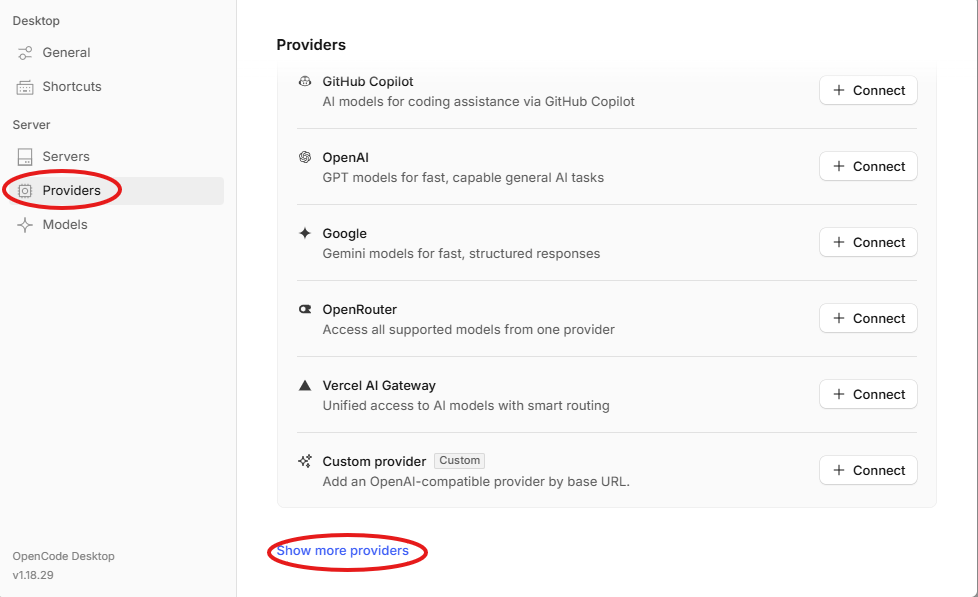
- Choose Custom OpenAI-compatible provider.
Fill in the Provider Information
Add Models
Enter the model-id. For available IDs, see A2Agent Models.You can add one or more models.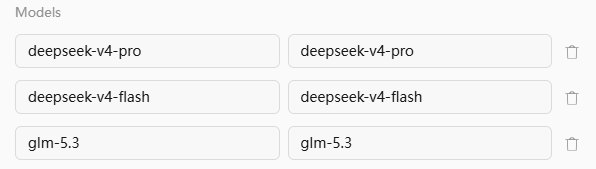
Select a Model and Start Chatting
Open OpenCode, and in Select model, choose the model you just added under thea2agent-opencode group, for example glm 5.3.
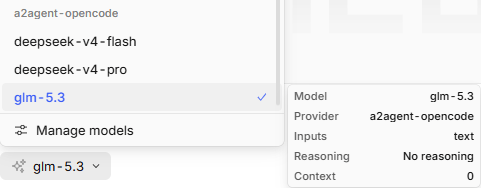
hi; if you receive a normal reply, the configuration is successful.